1
2
3
4
5
6
7
8
9
10
11
12
13
14
15
16
17
18
19
20
21
22
23
24
25
26
27
28
29
30
31
32
33
34
35
36
37
38
39
40
41
42
43
44
45
46
47
48
49
50
51
52
53
54
55
56
57
58
59
60
61
62
63
64
65
66
67
68
69
70
71
72
73
74
75
76
77
78
79
80
81
82
83
84
85
86
87
88
89
90
91
92
93
94
95
96
97
98
99
100
101
102
103
104
105
106
107
108
109
110
111
112
113
114
115
116
117
118
119
120
121
122
123
124
|
# json-stable-stringify
deterministic version of `JSON.stringify()` so you can get a consistent hash
from stringified results
You can also pass in a custom comparison function.
[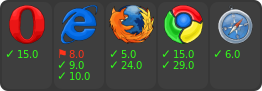](https://ci.testling.com/substack/json-stable-stringify)
[](http://travis-ci.org/substack/json-stable-stringify)
# example
``` js
var stringify = require('json-stable-stringify');
var obj = { c: 8, b: [{z:6,y:5,x:4},7], a: 3 };
console.log(stringify(obj));
```
output:
```
{"a":3,"b":[{"x":4,"y":5,"z":6},7],"c":8}
```
# methods
``` js
var stringify = require('json-stable-stringify')
```
## var str = stringify(obj, opts)
Return a deterministic stringified string `str` from the object `obj`.
## options
### cmp
If `opts` is given, you can supply an `opts.cmp` to have a custom comparison
function for object keys. Your function `opts.cmp` is called with these
parameters:
``` js
opts.cmp({ key: akey, value: avalue }, { key: bkey, value: bvalue })
```
For example, to sort on the object key names in reverse order you could write:
``` js
var stringify = require('json-stable-stringify');
var obj = { c: 8, b: [{z:6,y:5,x:4},7], a: 3 };
var s = stringify(obj, function (a, b) {
return a.key < b.key ? 1 : -1;
});
console.log(s);
```
which results in the output string:
```
{"c":8,"b":[{"z":6,"y":5,"x":4},7],"a":3}
```
Or if you wanted to sort on the object values in reverse order, you could write:
```
var stringify = require('json-stable-stringify');
var obj = { d: 6, c: 5, b: [{z:3,y:2,x:1},9], a: 10 };
var s = stringify(obj, function (a, b) {
return a.value < b.value ? 1 : -1;
});
console.log(s);
```
which outputs:
```
{"d":6,"c":5,"b":[{"z":3,"y":2,"x":1},9],"a":10}
```
### space
If you specify `opts.space`, it will indent the output for pretty-printing.
Valid values are strings (e.g. `{space: \t}`) or a number of spaces
(`{space: 3}`).
For example:
```js
var obj = { b: 1, a: { foo: 'bar', and: [1, 2, 3] } };
var s = stringify(obj, { space: ' ' });
console.log(s);
```
which outputs:
```
{
"a": {
"and": [
1,
2,
3
],
"foo": "bar"
},
"b": 1
}
```
# install
With [npm](https://npmjs.org) do:
```
npm install json-stable-stringify
```
# license
MIT
|
